


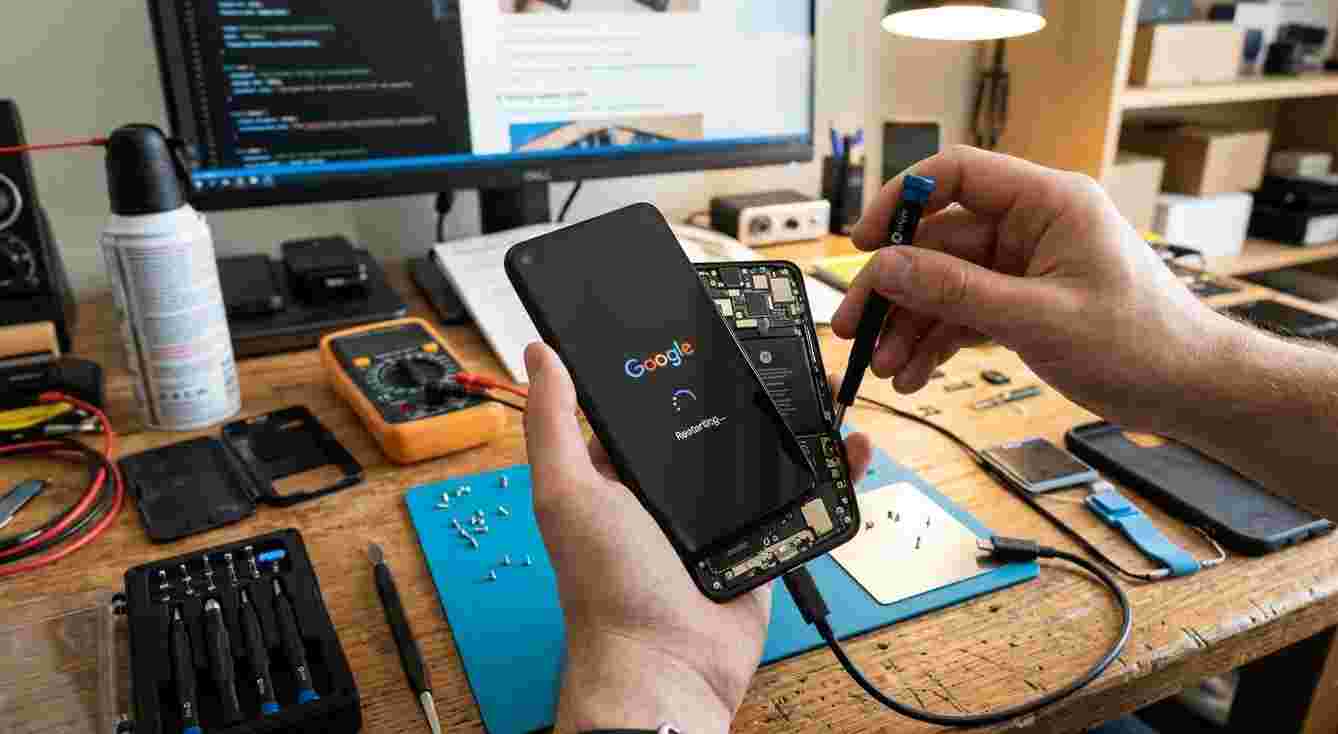
Does your smartphone keep restarting without warning? Random restarts can interrupt calls, close apps, and make it difficult to use your device. This problem may be caused by software glitches, battery issues, overheating, or damaged internal components. Understanding the possible causes can help you find the right solution. If basic troubleshooting does not work, Mobile Phone Repair Albany can be a resource to explore for professional repair assistance.
Table of Contents
-
Common Reasons a Phone Restarts Randomly
-
How to Fix a Phone That Keeps Restarting
-
When to Seek Professional Phone Repair
-
Tips to Prevent Random Restarts
-
Frequently Asked Questions
1. Common Reasons a Phone Restarts Randomly
Your phone may restart unexpectedly for several reasons.
Software Glitches
Operating system bugs, incomplete updates, or temporary system errors can cause unexpected restarts. An app that repeatedly crashes may also affect device stability.
Battery Problems
An aging or damaged battery may struggle to provide consistent power. If your phone restarts when opening apps or performing demanding tasks, the battery could be a contributing factor.
Overheating
Heavy gaming, extended video recording, demanding apps, or high temperatures can cause a phone to become too hot. Some devices automatically shut down or restart to protect internal components.
Insufficient Storage
When your phone has very little available storage, system performance may become unstable. This can contribute to app crashes and other software problems.
Faulty Apps
An incompatible or poorly functioning application may cause system errors, particularly if the restarting began after installing or updating it.
Internal Hardware Damage
A damaged power button, loose connection, or motherboard-related fault may cause repeated restarts, especially after a drop or exposure to moisture.
2. How to Fix a Phone That Keeps Restarting
Try these troubleshooting steps to identify and resolve the problem.
Restart and Check for Updates
If your phone remains usable, check for operating system updates. Install available updates because they may fix bugs affecting device stability.
Check Battery Health
Look for unusual battery drain, unexpected shutdowns, or swelling. If the battery appears swollen, stop using and charging the phone and seek professional assistance. Do not attempt to remove it yourself.
Free Up Storage Space
Delete unnecessary files, remove unused applications, and clear app caches where appropriate. Keep enough free storage for normal system operations.
Remove Recently Installed Apps
If random restarts started after installing a particular app, uninstall it and observe whether the problem continues. Android users can also try Safe Mode to check whether a downloaded app is responsible.
Check for Overheating
Close demanding applications and let your phone cool naturally in a shaded, well-ventilated place. Avoid placing it in a refrigerator or freezer.
Inspect the Power Button
Make sure the power button is not stuck or being pressed by a tight phone case. A faulty button may repeatedly trigger restarts.
Back Up Your Important Data
Before considering a factory reset or professional repair, back up your photos, contacts, and other important files. A factory reset erases personal data, so use it only after considering other options.
3. When to Seek Professional Phone Repair
If your phone continues restarting after software troubleshooting, the problem may involve its battery, power button, charging components, or internal hardware.
Consider professional inspection if:
-
Your phone restarts several times a day.
-
It shuts down even when the battery is charged.
-
It restarts after being dropped or exposed to water.
-
The power button does not work properly.
-
The device becomes unusually hot.
-
Software fixes do not resolve the issue.
If you are looking for Mobile Phone Repair Albany NY, visit mobilephonerepairalbany.com to explore repair information and available service options.
4. Tips to Prevent Random Restarts
Follow these habits to help keep your smartphone stable:
-
Install official software updates.
-
Download apps from trusted sources.
-
Keep sufficient storage space available.
-
Avoid overheating during heavy use.
-
Use compatible charging accessories.
-
Protect your phone from drops and moisture.
-
Check battery condition if performance declines.
Regular care can help reduce unexpected software and hardware problems.
5. Frequently Asked Questions
Why does my phone restart every few minutes?
Possible causes include software errors, faulty apps, battery problems, overheating, or internal hardware damage.
Can a bad battery cause random restarts?
Yes. An aging or damaged battery may fail to provide stable power, causing unexpected shutdowns or restarts.
Will a factory reset stop my phone from restarting?
It may help if corrupted software or settings are responsible. However, it will not fix physical hardware damage and erases personal data.
Why does my phone restart when I open an app?
The app may be incompatible, corrupted, or demanding more resources than the device can handle. A battery or hardware issue may also contribute.
Should I repair or replace a phone that keeps restarting?
That depends on the phone's age, condition, repair cost, and cause of the problem. A professional diagnosis can help you compare your options.
Conclusion
A phone that keeps restarting randomly may have a software glitch, faulty app, weak battery, overheating issue, or internal hardware problem. Start with updates, storage cleanup, and app troubleshooting. If the issue continues, professional inspection can help identify the cause. Mobile Phone Repair Albany, mobilephonerepairalbany.com, and Mobile Phone Repair Albany NY are useful search terms when exploring local repair information and solutions.
Call to Action
Is your smartphone restarting without warning? Visit mobilephonerepairalbany.com to explore available repair options and learn how to get your device checked. Addressing the problem early may help prevent further disruption and restore reliable performance.

 Arabic
 French
 Spanish
 Portuguese
 Deutsch
 Turkish
 Dutch
 Italiano
 Russian
 Romaian
 Portuguese (Brazil)
 Greek