


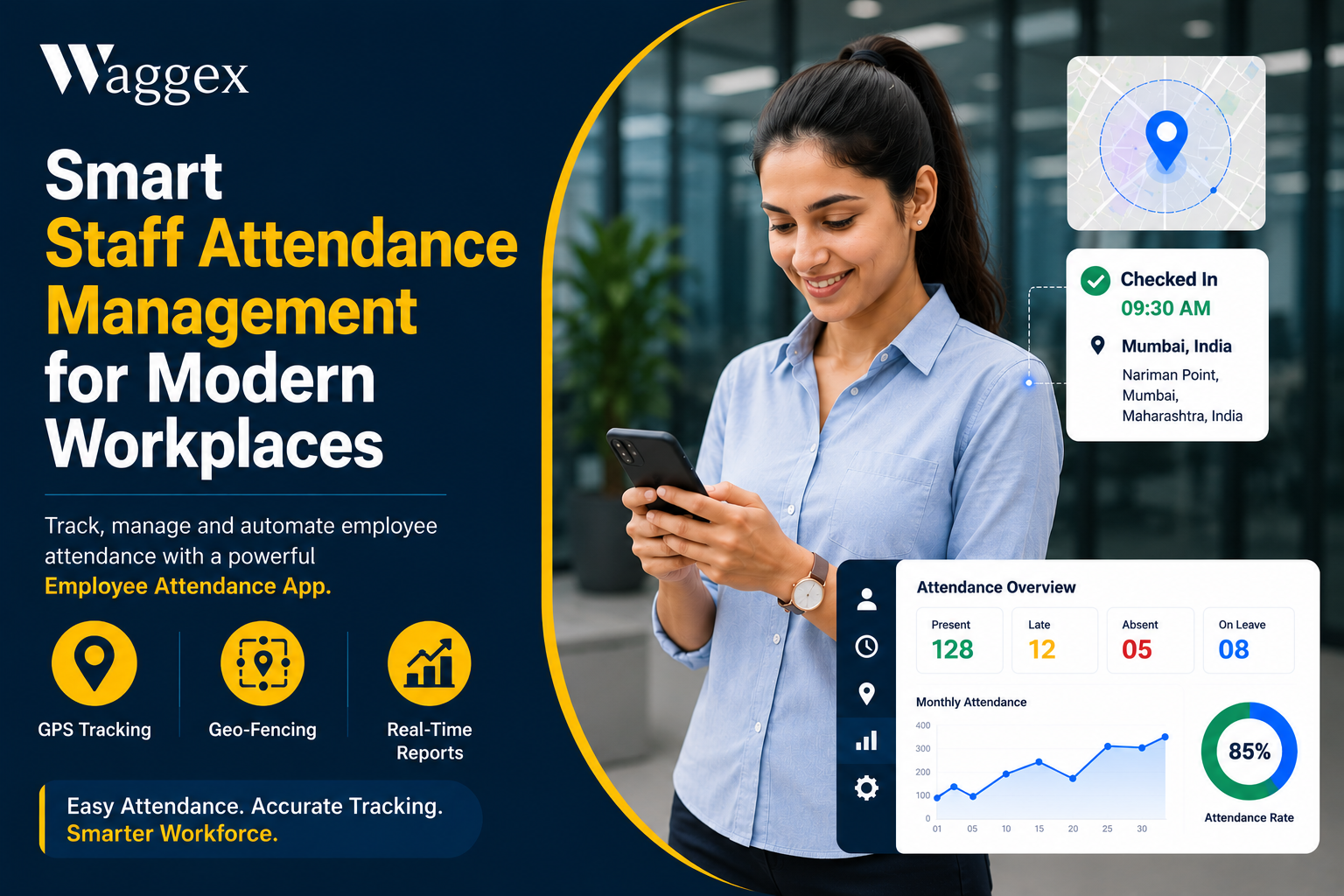
Knowing when employees start work, finish work, take breaks, or work overtime is important for effective workforce management. However, tracking working hours manually becomes difficult as a business grows.
Employees may work from offices, client locations, project sites, or remotely. Maintaining accurate records across all these locations using spreadsheets or paper registers can create unnecessary administrative work and increase the possibility of errors.
Employee Time Tracking Software provides a centralized way to record employee working hours, monitor attendance, manage shifts, track overtime, and support payroll processing.
For businesses looking to improve workforce visibility and reduce manual HR processes, digital time tracking can become an important part of their overall HR technology stack.
What Is Employee Time Tracking Software?
Employee Time Tracking Software is a digital solution that records and manages the amount of time employees spend working.
Depending on the software, employees may record their working hours through:
- Mobile applications
- Web applications
- Selfie attendance
- GPS-based attendance
- Geo-fencing
- Face recognition
- Biometric devices
The system stores attendance and working-hour information digitally so HR managers can monitor employee schedules and generate reports.
A modern time tracking solution can also connect attendance information with leave management, shift scheduling, and Payroll Software.
Employee Time Tracking vs Employee Attendance
Although the terms are often used together, they are not exactly the same.
Employee attendance generally focuses on whether an employee is present, absent, late, or on leave.
Employee time tracking goes further by monitoring the actual working duration.
For example:
An employee may check in at 9:00 AM and check out at 6:00 PM. Time tracking can help businesses understand the employee's total working hours, breaks, overtime, and scheduled shift.
This makes time tracking particularly useful for businesses that need detailed workforce information.
Why Businesses Need Employee Time Tracking Software
Manual time tracking can create several problems.
Common challenges include:
- Employees forgetting to record working hours
- Incorrect spreadsheet entries
- Difficulty calculating overtime
- Payroll discrepancies
- Lack of visibility into field employees
- Time-consuming report preparation
- Difficulty managing multiple shifts
- Problems tracking remote employees
An automated system reduces the dependency on manual data entry.
Key Features of Employee Time Tracking Software
1. Digital Employee Attendance
Employees can record their attendance through a mobile or web application instead of using paper registers.
This creates centralized and easily accessible attendance records.
2. Employee Working Hours Tracker
A working-hours tracker records check-in and check-out times and helps HR teams understand how many hours employees have worked.
This can be useful for organizations with fixed shifts as well as businesses with flexible working arrangements.
3. Mobile Employee Attendance App
A mobile Employee Attendance App allows employees to record attendance using smartphones.
This is particularly valuable for:
- Field sales teams
- Service technicians
- Delivery employees
- Construction workers
- Remote employees
- Employees working at client locations
4. GPS Attendance Tracking
GPS-based attendance can capture the employee's location when attendance is marked.
This gives managers additional information about where field employees are checking in.
5. Geo-Fencing
Geo-fencing allows businesses to create approved attendance locations.
For example, a company can create a virtual boundary around an office or project site. Employees can then mark attendance according to the organization's location rules.
6. Selfie-Based Attendance
A selfie-based attendance feature allows employees to verify their identity while marking attendance.
This can help businesses reduce proxy attendance and improve employee accountability.
7. Face Recognition
Face recognition provides another method of employee identity verification.
It can be particularly useful for organizations that want a more controlled attendance process without relying solely on manual verification.
8. Shift Management
Businesses with multiple shifts need to compare scheduled working hours with actual attendance.
Time tracking software can help HR teams manage employee shifts and identify late arrivals, early departures, or overtime.
9. Leave Management
Leave and attendance information are closely connected.
A centralized system can help employees submit leave requests while managers review and approve them.
This reduces the need to maintain separate attendance and leave spreadsheets.
How Employee Time Tracking Supports Payroll
One of the biggest advantages of digital time tracking is its connection with payroll.
Payroll calculations may depend on:
- Working days
- Working hours
- Overtime
- Unpaid leave
- Absences
- Late attendance
- Shift schedules
When attendance and time tracking are connected with Payroll Software, HR teams can reduce manual data transfer and improve payroll accuracy.
A simplified workflow can look like:
Employee Attendance → Working Hours → Leave & Overtime → Payroll Calculation → Digital Payslip
This makes payroll processing more efficient.
Benefits of Employee Time Tracking Software
1. Saves HR Time
Automated attendance and time records reduce repetitive administrative tasks.
2. Improves Accuracy
Digital records reduce common errors associated with manual spreadsheets.
3. Improves Workforce Visibility
Managers can get a clearer picture of employee attendance and working hours.
4. Simplifies Payroll
Accurate working-hour and attendance information can support faster payroll preparation.
5. Supports Remote Employees
Employees don't necessarily need to be physically present at a central office to record attendance.
6. Helps Manage Field Employees
GPS and geo-fencing can provide additional visibility for distributed teams.
7. Reduces Attendance Fraud
Selfie and face-recognition features can make attendance verification more controlled.
Who Should Use Employee Time Tracking Software?
Employee time tracking can be useful across many industries.
Small and Medium Businesses
SMEs can replace spreadsheets and manual attendance registers with automated workforce tracking.
Startups
Growing companies can establish structured HR processes without increasing administrative workload.
Construction Companies
Project-based employees can use mobile attendance from approved work locations.
Retail Businesses
Organizations with multiple stores can monitor attendance across different locations.
Staffing Agencies
Staffing companies can track employees working at different client sites.
Field Service Companies
Technicians and service professionals can record attendance while working outside the office.
Sales Organizations
Sales representatives can use mobile attendance and location-based features when visiting customers.
What Should You Look for in Time Tracking Software?
Before selecting an Attendance Management Platform, businesses should evaluate the following:
Mobile Accessibility
Employees should be able to access attendance features conveniently from their smartphones.
Location-Based Attendance
GPS and geo-fencing are important for organizations with mobile employees.
Identity Verification
Selfie or face recognition can provide additional attendance security.
Payroll Integration
The platform should make it easy to use attendance data for payroll processing.
Leave and Shift Management
Managing attendance without leave and shift information creates unnecessary fragmentation.
Reporting
HR teams should have access to useful attendance and working-hour reports.
Scalability
The system should support the organization as employee numbers and locations grow.
Waggex for Employee Time and Attendance Management
Waggex is an integrated HR, payroll, and attendance platform designed for businesses that want to simplify workforce management.
Its attendance capabilities include:
- Employee Attendance App
- Selfie Attendance
- Face Recognition Attendance
- GPS Attendance
- Geo-Fencing
- Leave Management
- Shift Management
- Employee Self-Service
- Attendance Reports
- Payroll Automation
- Digital Payslips
By bringing attendance, employee management, and payroll-related processes together, Waggex helps businesses reduce manual HR work and improve workforce visibility.
How to Successfully Implement Time Tracking
Simply purchasing software isn't enough. Businesses need a clear implementation process.
Step 1: Identify Your Requirements
Determine whether you need mobile attendance, GPS, geo-fencing, shift tracking, or payroll integration.
Step 2: Define Attendance Policies
Clearly communicate rules for check-in, check-out, late arrivals, overtime, breaks, and leave.
Step 3: Train Employees
Employees should understand how and when to use the attendance application.
Step 4: Monitor Reports
HR teams should regularly review attendance and working-hour reports.
Step 5: Connect With Payroll
Where possible, integrate attendance information with payroll to reduce duplicate data entry.
The Future of Employee Time Tracking
Employee time tracking is moving away from manual registers and isolated attendance machines.
Modern businesses are increasingly adopting:
- Cloud-based HR platforms
- Mobile attendance applications
- GPS attendance
- Geo-fencing
- Face recognition
- Automated payroll
- Employee self-service
- Real-time workforce reporting
The goal is not simply to track employee time. The goal is to create a connected workforce management system where attendance, working hours, leave, payroll, and employee information work together.
Conclusion
Employee Time Tracking Software can help businesses move from manual attendance management toward a more structured and automated workforce management process.
By combining employee attendance, working-hour tracking, GPS, geo-fencing, leave management, shifts, and payroll integration, businesses can improve accuracy while reducing administrative work.
For growing organizations, the biggest advantage is having reliable workforce information available from one centralized platform.
Waggex combines employee attendance, workforce management, and payroll capabilities to help businesses manage their employees more efficiently.
Frequently Asked Questions
What is Employee Time Tracking Software?
Employee Time Tracking Software records employee attendance and working hours digitally, helping businesses monitor schedules, overtime, leave, and workforce activity.
Is time tracking different from attendance management?
Yes. Attendance management primarily records presence and absence, while time tracking provides more detailed information about employee working hours.
Can employees track their working hours using a mobile app?
Yes. Mobile attendance applications can allow employees to check in and check out through their smartphones.
Is GPS useful for employee time tracking?
GPS can be particularly useful for field and remote employees because it can provide location information when attendance is recorded.
Can employee time tracking integrate with payroll?
Yes. Integrating attendance and time information with payroll can help simplify salary calculations and reduce manual data entry.

 English
 Arabic
 French
 Spanish
 Portuguese
 Deutsch
 Turkish
 Dutch
Dutch
 Italiano
 Russian
 Romaian
 Greek
Greek