


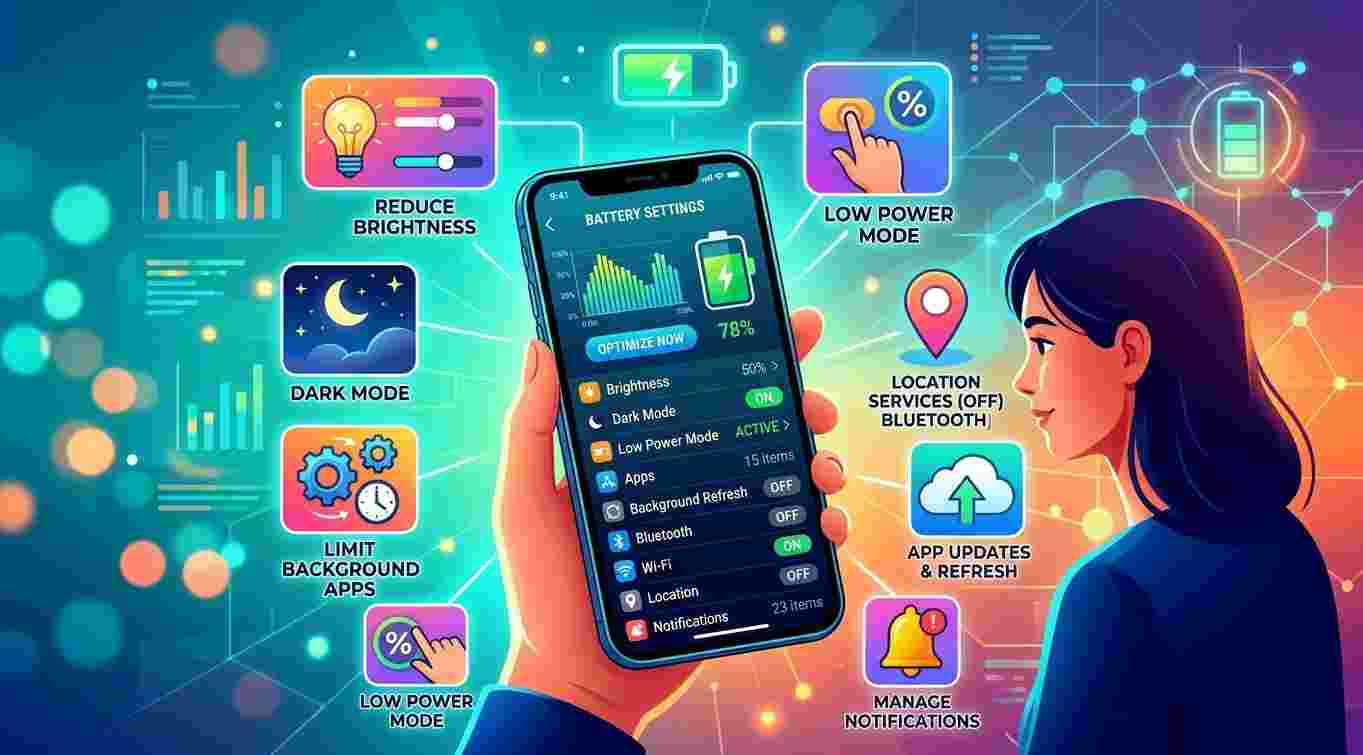
Does your smartphone battery run out quickly, even when you are not using your device heavily? Before considering a battery replacement, there are several simple ways to reduce power consumption and improve everyday battery performance. Adjusting screen settings, managing background applications, and following better charging habits can help your phone last longer throughout the day. MyRepairStore, www.myrepairstores.com, and MyRepairStore Indian Trail are useful resources for customers looking for smartphone maintenance and professional repair solutions when battery problems persist.
Table of Contents
-
Why Does Smartphone Battery Life Decrease?
-
8 Ways to Improve Smartphone Battery Life
-
Charging Habits That Help Maintain Battery Health
-
Common Mistakes That Drain Your Battery
-
When Should You Consider Professional Battery Inspection?
-
Frequently Asked Questions
-
Contact MyRepairStore
1. Why Does Smartphone Battery Life Decrease?
Smartphone batteries naturally lose capacity over time. However, battery performance can also be affected by applications, screen brightness, network connections, software settings, and device temperature.
Sometimes, your phone consumes more power than necessary because certain features continue running in the background. Identifying these activities can help you reduce battery usage without immediately replacing the battery.
2. Eight Ways to Improve Smartphone Battery Life
1. Reduce Screen Brightness
Your smartphone display can consume a significant amount of battery power. Keeping brightness at a comfortable level instead of maximum brightness can help reduce energy consumption.
You can also enable automatic brightness adjustment if your device supports it.
2. Shorten Screen Timeout
If your screen stays active after you stop using your phone, it continues consuming power.
Set a shorter screen timeout so the display turns off automatically when your device is inactive.
3. Manage Background Applications
Some applications continue using battery power even when they are not open.
Check your phone's battery usage settings to identify applications consuming excessive energy. Restrict unnecessary background activity where appropriate.
4. Turn Off Unnecessary Connectivity Features
Bluetooth, GPS, Wi-Fi, and mobile data can contribute to battery consumption depending on how they are being used.
Turn off connections you do not currently need, but keep essential services enabled.
5. Enable Battery Saver Mode
Most smartphones include a battery-saving feature that reduces background activity, limits certain functions, and helps extend remaining battery life.
Enable this mode when your battery level becomes low or when you need your phone to last longer.
6. Keep Applications Updated
Outdated applications may contain bugs or compatibility problems that affect battery performance.
Install updates from your device's official app store to benefit from available performance improvements and fixes.
7. Avoid Excessive Heat
High temperatures can negatively affect rechargeable battery health.
Avoid leaving your phone in direct sunlight, inside hot vehicles, or near heat sources. If your phone becomes unusually hot, stop demanding activities and allow it to cool naturally.
8. Restart Your Phone Occasionally
Temporary software issues and background processes can sometimes contribute to unusual battery consumption.
Restarting your device may help resolve certain temporary problems and restore normal operation.
3. Charging Habits That Help Maintain Battery Health
Your everyday charging habits can also influence long-term battery condition.
-
Use compatible and reliable charging accessories.
-
Avoid exposing your phone to excessive heat while charging.
-
Do not use damaged charging cables.
-
Follow your phone manufacturer's battery-care recommendations.
-
Enable optimized or adaptive charging if your device supports it.
Remember that modern smartphone batteries do not need to be completely discharged before charging.
4. Common Mistakes That Drain Your Battery
Some everyday habits can increase unnecessary power consumption.
Keeping maximum brightness: A bright display can use more energy than necessary.
Ignoring background applications: Some apps continue refreshing information when you are not using them.
Using demanding applications continuously: Gaming, video streaming, and navigation can consume considerable battery power.
Leaving unnecessary features active: Connectivity and location services may use additional energy.
Ignoring software updates: Updates may include important performance and battery-related fixes.
Making small changes to these habits can help improve everyday battery performance.
5. When Should You Consider Professional Battery Inspection?
If your smartphone continues losing power quickly despite adjusting settings, the battery may have deteriorated or another hardware problem may be involved.
Consider professional inspection if you notice:
-
Unexpected shutdowns.
-
Rapid battery percentage drops.
-
Difficulty keeping the phone charged.
-
Unusual overheating.
-
A battery that no longer holds sufficient charge.
If your phone's battery appears swollen, stop using and charging the device. Do not press, puncture, or attempt to remove it yourself. Seek professional assistance.
A technician can inspect the battery and charging components to determine whether a repair or replacement is necessary.
6. Frequently Asked Questions
How can I make my phone battery last longer throughout the day?
Reduce screen brightness, manage background applications, enable battery saver mode, and turn off unnecessary connectivity features.
Does closing background apps improve battery life?
It can help when particular apps are consuming excessive power. However, repeatedly closing every application is not always necessary because modern smartphones manage background activity automatically.
Does dark mode save battery?
Dark mode can reduce power consumption on phones with OLED or AMOLED displays, especially when using darker backgrounds.
Is it bad to charge my phone overnight?
Modern smartphones generally include charging-management features. However, following the manufacturer's charging recommendations and avoiding excessive heat are important for battery health.
Can an old phone battery become better through settings?
Settings cannot restore lost battery capacity, but they can reduce unnecessary power consumption and help an aging battery last longer between charges.
7. Contact MyRepairStore for Professional Phone Repair
Improving smartphone battery life does not always require immediate replacement. Simple adjustments to display settings, background applications, connectivity, and charging habits may help your device perform better. However, persistent battery problems deserve professional attention. MyRepairStore, www.myrepairstores.com, and MyRepairStore Indian Trail are useful starting points for customers exploring professional smartphone repair and battery inspection services.
Visit www.myrepairstores.com to explore available repair services and get assistance with your smartphone.

 Arabic
 French
 Spanish
 Portuguese
 Deutsch
 Turkish
 Dutch
 Italiano
 Russian
 Romaian
 Portuguese (Brazil)
 Greek