


A brand sells the same backpack on Shopify, Amazon and to a wholesale account. At 10 am, Shopify takes six orders. At 10:01, a salesperson promises 100 units to a retailer. The warehouse has only 102 units ready to ship. Each sales channel looks healthy by itself. Together, the business has a problem.
ERP software for ecommerce helps solve this kind of problem by connecting sales channels with inventory, order processing, purchasing, shipping and accounting. The key is not putting more numbers on a dashboard. It is making sure every channel uses a stock figure that reflects real commitments.
Why an ecommerce store alone may not be enough
A store platform does an important job. It displays products, accepts payments and creates customer orders. Once the company adds wholesale, multiple warehouses or marketplace sales, there is more work behind every order.
Someone must decide which warehouse ships, which customer gets scarce stock, what happens to a partial order and when a refund changes inventory. A standalone store cannot always own all those decisions. An ecommerce ERP system can serve as the operational record that connects them.
Give every SKU a single working identity
Start with product records. A black backpack in one store should not become a different inventory item simply because Amazon uses a different listing ID. Map sales listings to a common SKU and, where needed, to a specific variant, kit or bundle.
Then agree on units of measure. If wholesale sells cartons of 12 and ecommerce sells single units, the system must convert quantities correctly. An order for three cartons should reduce 36 pieces, not three. That mistake is easy to miss until a stockout occurs.
Separate stock on the shelf from stock that can be sold
Physical stock is only the starting point. Some units may be reserved for orders, held for inspection or protected by a business rule. Teams should define what counts as available stock and which system publishes that amount to each channel.
Imagine 200 backpacks on hand. Sixty are already committed, ten are damaged and 20 are reserved for a retailer with a confirmed agreement. That leaves 110 units for other sales if these groups do not overlap. Showing 200 on every channel would create promises the warehouse cannot keep.
This is a simple example, not a universal formula. Some ERP systems already calculate an available balance. Check what that field includes before subtracting commitments again.
Decide which channel receives scarce stock
An ERP cannot make a good allocation policy for you unless the business defines one. A company may protect paid retail orders, hold stock for a signed wholesale commitment or allocate by shipping deadline. Each policy has trade-offs.
Write those rules down. Decide who can override them, what reason they must record and who receives a warning. When inventory is low, the sales team should know whether it can promise stock from another warehouse or whether purchasing must confirm new supply.
Follow one order through the full process
An online order enters the system. The product record and stock rules identify eligible units. The system chooses a fulfillment location based on your rules. The warehouse picks and checks the order. Shipping information returns to the storefront. Finance records the sale and related costs.
That chain needs to work for regular orders and for problems. Test one order with a wrong address, another with a partial cancellation and another with an item returned in poor condition. The data should be consistent even when the order is not simple.
Watch the five exceptions that expose weak systems
A bundle that uses several components
Selling a three-item starter kit must reduce each component when it is a virtual bundle, or reduce the prebuilt kit stock when it is held as its own item. Confirm which method your operation uses.
A stock transfer still on the road
Inventory moving between warehouses should not appear at the destination as ready-to-ship until the chosen receiving rules say it is available.
A partial fulfillment
An order of ten units may ship six now and four later. Each shipment needs its own status, tracking information and remaining open quantity.
A return with a refund
Money can be returned before the item passes warehouse inspection. Stock and finance should follow their own valid events rather than being treated as one action.
A failed channel update
An integration error must be visible to staff. The team should know what went wrong, how to repair the record and whether the update can be retried without creating a duplicate order.
Measure progress with a short weekly report
Look at oversold orders, orders delayed by stock errors, manual corrections, pick errors and the time needed to reconcile payments. Do not rely only on revenue or order count. A growing store can sell more and still become harder to run.
Set a starting measure before changing software. Compare the same figures after your new workflows have settled. The value of ERP comes from fewer costly mistakes and clearer decisions, not just from adding tools.
Connect the storefront with the back office
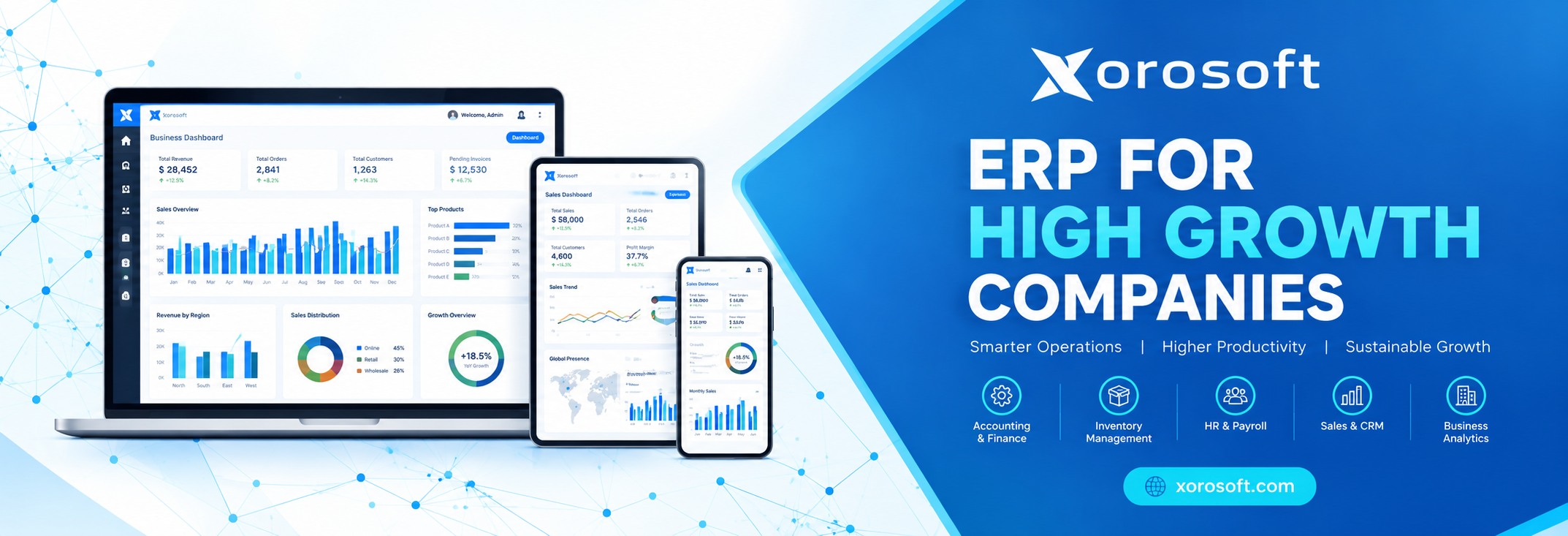
Xorosoft brings ecommerce, inventory and financial operations together. Its inventory management software addresses shared stock visibility, sales order management covers the order lifecycle and integrations connect channels including Shopify and Amazon. Review how these fit your particular warehouse and order rules.
Questions ecommerce operators ask
What does ERP software for ecommerce do?
It connects online selling with the back-office work needed to fulfil and account for orders, including stock, purchasing, warehouse activity, shipping and financial reporting.
Can an ERP work with Shopify and Amazon together?
Many ecommerce ERPs support both, but the details vary. Ask which records move, how often they update and how failed transfers are repaired.
Does ERP stop overselling completely?
No system can promise that in every situation. Good inventory rules, fast updates, clear reservations and exception alerts can reduce the risk.
Should wholesale orders use the same stock as retail orders?
They can, but the business should define how commitments and protected quantities work. One stock pool without clear allocation rules can create conflicts.
When should an ecommerce brand consider ERP?
Consider it when channels, SKU counts, warehouses or transaction rules have made manual checks slow, costly or unreliable.
Build one dependable order story
The goal is simple. Sales, warehouse, purchasing and finance should all be able to explain the same order and the same stock balance. Start with one shared SKU and test every point where it changes. Then consider how Xorosoft's ecommerce ERP approach could support that workflow.

 English
 French
 Spanish
 Portuguese
 Deutsch
 Turkish
 Dutch
 Italiano
 Russian
 Romaian
 Portuguese (Brazil)
 Greek