


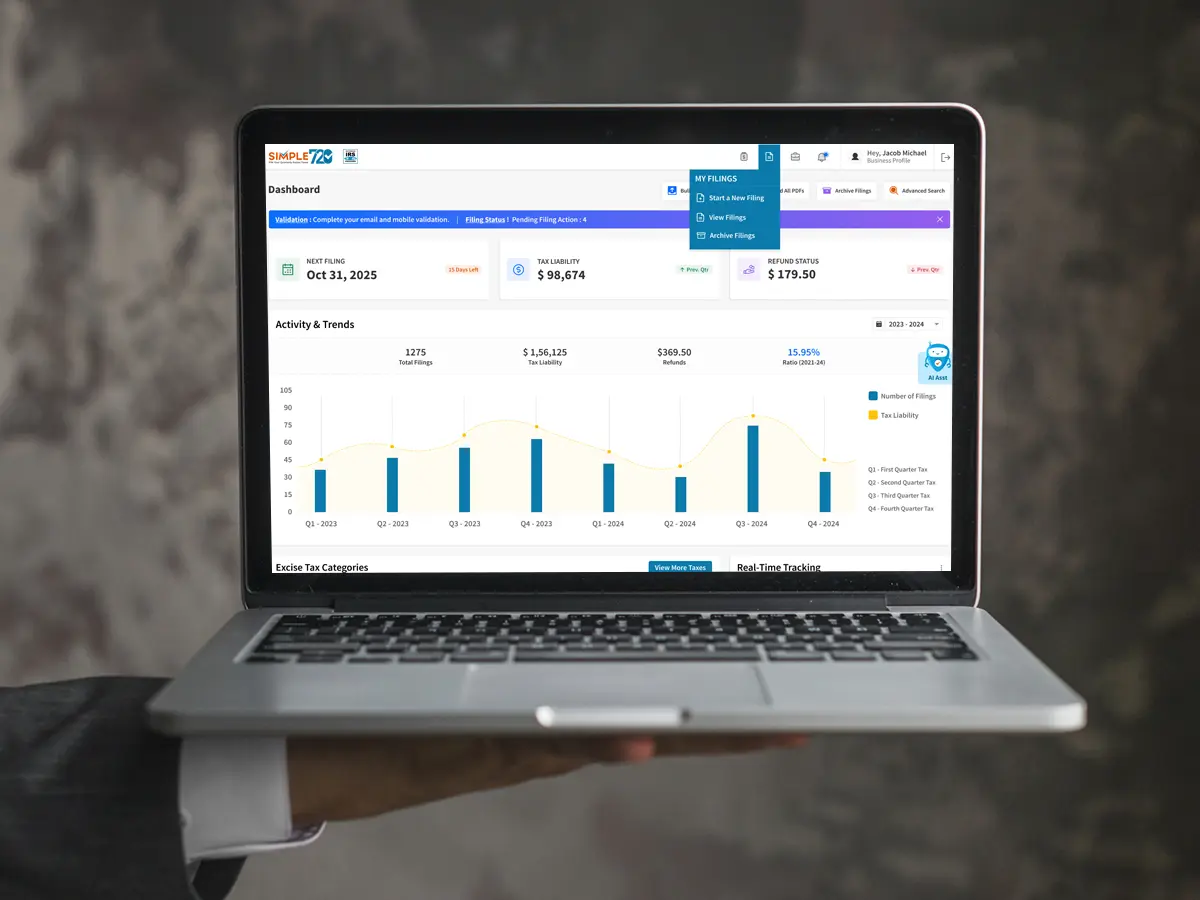
Filing federal excise taxes does not have to be complicated. If your business is responsible for reporting certain federal excise taxes, you may need to submit Form 720 to the Internal Revenue Service (IRS) every quarter. But can you complete this process online instead of mailing paper documents?
Yes, you can file Form 720 electronically. The IRS allows businesses and tax professionals to submit the Quarterly Federal Excise Tax Return through approved electronic filing providers. Form 720 electronic filing offers a convenient way to prepare and submit your tax return while reducing paperwork and helping you manage quarterly filing responsibilities.
In this guide, we will explain how electronic filing works, who can use it, what information you need, and how to complete the process.
What Is Form 720?
IRS Form 720, also known as the Quarterly Federal Excise Tax Return, is used by businesses to report and pay certain federal excise taxes.
These taxes apply to specific products, services, and business activities. Depending on the nature of your business, you may be required to report excise taxes related to:
- Certain fuel sales and uses
- Air transportation services
- Communications services
- Indoor tanning services
- Certain environmental taxes
- Other taxable products and services listed by the IRS
Businesses that have a filing obligation generally need to submit Form 720 every quarter. The form helps the IRS track reported excise tax liabilities and payments.
Can I File Form 720 Electronically?
Yes. The IRS accepts Form 720 through its electronic filing system. You can use an authorized electronic return originator (ERO), transmitter, or intermediate service provider participating in the IRS excise tax e-file program.
Electronic filing is optional for taxpayers. You can still submit a paper return if you prefer. However, many businesses choose Form 720 electronic filing because it makes the submission process more convenient.
With an online filing service such as Simple720, you can prepare your return, enter the required tax information, review your details, and submit your return electronically.
The IRS also allows electronic submissions 24 hours a day through approved providers.
Is Electronic Filing of Form 720 Mandatory?
No. Electronic filing of Form 720 is not mandatory for taxpayers. The IRS accepts both electronic and paper returns.
However, electronic filing can be a practical choice for businesses that want to simplify their quarterly tax reporting. Instead of printing forms, preparing envelopes, and mailing documents, you can complete the process online.
Before choosing a filing method, consider your business needs, filing schedule, and the convenience of using an approved e-file provider.
How Does Form 720 Electronic Filing Work?
The electronic filing process is straightforward when you have the necessary business and tax information ready.
Here are the general steps:
Step 1: Choose an Approved E-File Provider
Start by selecting an electronic filing provider that supports IRS Form 720. Make sure the provider is listed by the IRS as an approved Form 720 Modernized e-File provider.
Simple720 offers an online filing option designed to make the Form 720 submission process easier for businesses.
Step 2: Enter Your Business Information
Provide the required business details, including:
- Business legal name
- Employer Identification Number (EIN)
- Business address
- Reporting quarter
- Other applicable taxpayer information
Check these details carefully before moving forward. Incorrect business information may cause processing issues.
Step 3: Report Your Excise Tax Information
Enter the applicable excise tax information based on your business activities.
Form 720 contains different sections for reporting various federal excise taxes. Select the relevant tax categories and provide the required amounts.
If you are unsure which tax applies to your business, review the IRS Form 720 instructions or consult a qualified tax professional.
Step 4: Review Your Return
Before submitting your return, review the information you entered.
Check your EIN, reporting period, tax amounts, and applicable schedules. Correcting errors before submission can help prevent unnecessary delays.
Step 5: Submit Your Form 720 Electronically
Once everything is ready, submit your return through your selected e-file provider.
Follow the provider's instructions to complete the electronic submission. Keep your submission details and any IRS acknowledgment for your records.
Step 6: Check Your Filing Status
After submission, monitor your filing status through the provider.
Look for the IRS acknowledgment confirming whether your return has been accepted or rejected. If the return is rejected, review the reason, make the necessary corrections, and resubmit it.
What Information Do You Need to E-File Form 720?
Preparing your information in advance can make electronic filing easier.
Generally, you may need:
- Valid Employer Identification Number (EIN)
- Business name and address
- Quarterly reporting period
- Details of taxable products or services
- Applicable excise tax amounts
- Required schedules and supporting information
- Payment details, if applicable
The information required depends on your business activities and the taxes you need to report.
Keeping accurate business records throughout the quarter can also make tax preparation easier.
What Are the Form 720 Filing Deadlines?
Form 720 is generally filed quarterly. Each return covers one calendar quarter, and the filing deadline falls on the last day of the month following that quarter.
Here is the regular filing schedule:
| Reporting Quarter | Filing Deadline |
|---|---|
| January – March | April 30 |
| April – June | July 31 |
| July – September | October 31 |
| October – December | January 31 |
If a deadline falls on a Saturday, Sunday, or legal holiday, the IRS generally allows filing on the next business day.
Remember that certain excise tax deposit requirements may apply separately. Filing Form 720 by its deadline does not automatically satisfy every required tax deposit.
What Are the Benefits of Form 720 Electronic Filing?
Many businesses prefer online filing because it makes quarterly tax reporting more manageable.
Here are some important benefits:
1. Convenient online submission
You can prepare and submit your return online without mailing paper documents.
2. Less paperwork
Electronic filing reduces the need to print, organize, and mail physical forms.
3. Faster acknowledgment
You can receive an electronic acknowledgment of your submission and check whether the IRS has accepted or rejected your return.
4. Easier recordkeeping
Digital filing records and acknowledgments can help you maintain an organized tax filing history.
5. Better filing management
Using an online filing service can help businesses manage recurring quarterly filing responsibilities more efficiently.
What Happens If I Make a Mistake When Filing Form 720?
Mistakes can happen during tax preparation. You may enter an incorrect amount, select the wrong tax category, or provide inaccurate business information.
If your electronic return is rejected, check the rejection explanation and correct the information before resubmitting it.
If you discover an error after the IRS has accepted your original return, you may need to file Form 720-X, Amended Quarterly Federal Excise Tax Return, depending on the circumstances.
Do not simply change the figures on your next quarterly Form 720 to correct a previous return. Follow the IRS instructions for making adjustments.
Why Choose Simple720 for Form 720 Electronic Filing?
Managing quarterly excise tax returns can take time, especially when your business has multiple reporting responsibilities.
Simple720 provides an online filing solution designed to help make the Form 720 filing process easier to manage.
With an online filing approach, you can:
- Enter your required business information online.
- Prepare your quarterly Form 720 return.
- Review your tax details before submission.
- Submit your return electronically.
- Track your filing acknowledgment.
Before filing, make sure the service supports your specific tax reporting requirements and review its applicable service fees.
Frequently Asked Questions About Form 720 Electronic Filing
1. Can I file Form 720 online?
Yes. You can file Form 720 online through an IRS-approved electronic filing provider participating in the excise tax e-file program.
2. Is Form 720 electronic filing free?
Not necessarily. The IRS states that electronic filing providers may charge a service fee for submitting your return. Fees vary by provider.
3. Can small businesses file Form 720 electronically?
Yes. Eligible businesses of different sizes can use approved electronic filing providers to submit Form 720, provided they have a filing obligation.
4. How often do I need to file Form 720?
Form 720 is generally filed four times a year, covering January–March, April–June, July–September, and October–December. Special filing rules may apply to certain taxpayers.
5. How do I know if my Form 720 was accepted?
After submitting your return, check the electronic filing acknowledgment provided through your e-file service. It will indicate whether the IRS accepted or rejected your submission.
6. Can I file Form 720 without a tax professional?
Yes. You can prepare and submit your own return using an approved electronic filing service, provided you understand your filing responsibilities and report the correct information.
Final Thoughts
Yes, filing Form 720 electronically is possible, and it can make quarterly federal excise tax reporting more convenient for businesses. You can choose an IRS-approved e-file provider, enter your business and tax information, review your return, and submit it online.
The key is to file accurately, follow the quarterly deadlines, and keep your submission acknowledgment for future reference.
If you want a simpler way to manage your quarterly excise tax returns, Simple720 can help you get started with Form 720 electronic filing online.
Visit Simple720 to explore your electronic filing options and make your next quarterly filing easier.

 English
 French
 Spanish
 Portuguese
 Deutsch
 Turkish
 Dutch
 Italiano
 Russian
 Romaian
 Portuguese (Brazil)
 Greek