

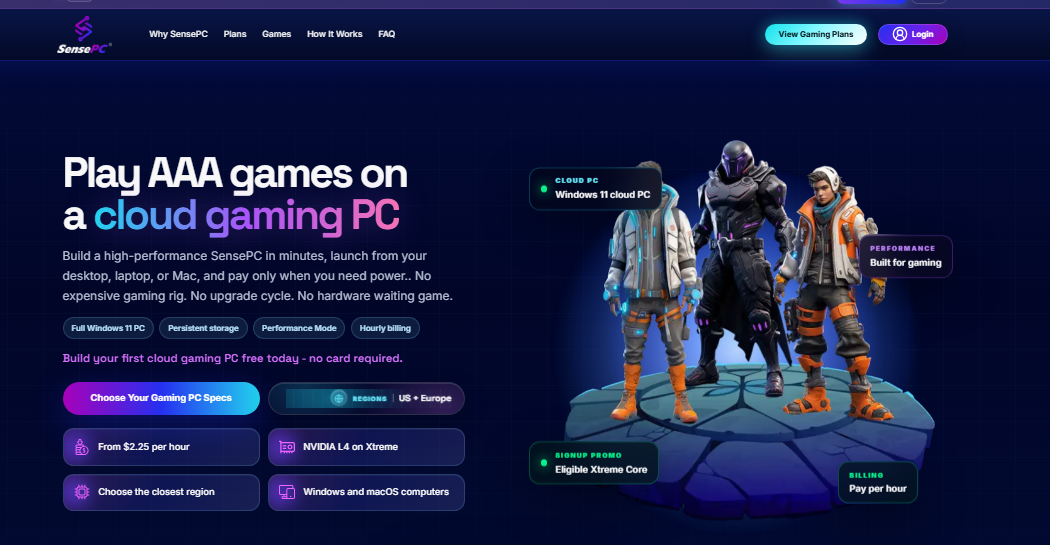
A cloud gaming computer gives gamers access to a remote PC that runs games and streams the experience to their own device over the internet. Instead of buying an expensive gaming desktop, users can connect to a cloud-based Windows computer and access compatible games from a laptop, Mac, or another supported device.
With SensePC Cloud, users can explore a flexible way to access remote computing power for gaming and other demanding tasks. It offers an alternative for people who want a capable PC environment without purchasing and maintaining all the physical hardware themselves.
1. What Is a Cloud Gaming Computer?
A cloud gaming computer is a remote PC hosted on cloud infrastructure. Its processor, graphics hardware, memory, and storage handle the gaming workload, while your local device receives the streamed video and sends back your controls.
This makes it possible to use a computer that is more powerful than your local hardware for compatible gaming workloads.
Unlike services that only stream games from a fixed catalogue, a full cloud PC can provide a Windows desktop environment. Game installation and availability depend on the service, hardware configuration, platform requirements, and licensing.
2. How Does Cloud Gaming for PC Work?
Cloud gaming for PC uses an internet connection to link your device with a remote gaming computer.
The typical process involves:
-
Connect to the cloud PC: Sign in through the provider's supported access method.
-
Start your remote desktop: Open the available Windows environment.
-
Access your games: Use supported platforms such as Steam or Epic Games.
-
Stream gameplay: The cloud computer processes the game and streams the display to your device.
-
Control remotely: Your keyboard, mouse, or supported controller sends inputs over the connection.
A stable internet connection and a nearby server can help reduce latency and improve streaming quality.
3. Benefits of Using a Cloud Gaming PC
A cloud gaming for PC can make PC gaming more accessible without requiring users to own a high-end desktop.
-
Reduced hardware costs: Avoid a large upfront purchase of gaming components.
-
Device flexibility: Connect through supported laptops and Macs.
-
Remote computing power: Use the cloud PC's hardware rather than relying entirely on local specifications.
-
Flexible usage: Choose a service and payment model that matches your needs.
-
Multiple workloads: Use a full desktop environment for compatible games, applications, and productivity tasks.
The actual experience depends on the provider's hardware, availability, network conditions, and pricing structure.
4. Cloud Gaming Computer vs. Traditional Gaming PC
| Feature | Traditional Gaming PC | Cloud Gaming Computer |
|---|---|---|
| Hardware | Purchased and owned | Hosted remotely |
| Initial cost | Higher upfront investment | Depends on rental plan |
| Maintenance | User-managed | Generally provider-managed |
| Device flexibility | Depends on local setup | Supported internet-connected devices |
| Internet | Not always needed for local play | Required for streaming |
| Upgrades | User purchases components | Provider controls infrastructure |
A traditional desktop may be preferable for users who want local performance and hardware ownership. A cloud gaming computer may suit users who value flexibility and remote access.

 English
 Arabic
 French
 Spanish
 Portuguese
 Deutsch
 Turkish
 Dutch
 Italiano
 Russian
 Romaian
 Portuguese (Brazil)